Webhook Integration for Link Events: Real-Time Automation Guide 2026
Webhooks let you react to link events in real-time: clicks, conversions, QR scans. Build automated workflows that trigger instantly when users engage with your links. Here's the complete implementation guide.
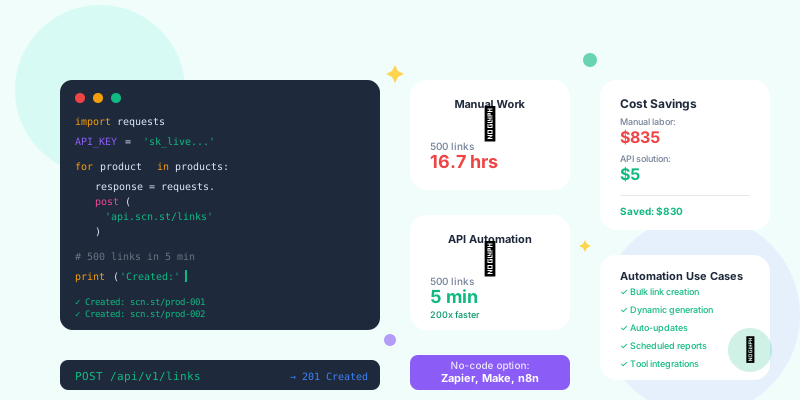
Polling APIs is dead. Checking for new clicks every 5 minutes is wasteful and slow. Webhooks send data to your systems the instant events happen—no polling, no delays, no wasted API calls.
What Are Webhooks?
Webhooks vs API Polling
Your Server: "Any new clicks?" → API: "No"
(5 minutes later)
Your Server: "Any new clicks?" → API: "No"
(5 minutes later)
Your Server: "Any new clicks?" → API: "Yes, 3 clicks"
Click happens → Webhook fires → Your Server receives event data
(Instant, 200ms)
How Webhooks Work
- Setup: You configure a webhook URL (https://yourserver.com/webhook)
- Event occurs: User clicks link, converts, scans QR code
- Webhook fires: Link platform sends HTTP POST to your URL with event data
- Your code responds: Process event, update database, trigger actions
- Confirm receipt: Return 200 OK to acknowledge receipt
Link Event Types
Common Webhook Events
Link management platforms typically send webhooks for these events:
- link.clicked: Someone clicked a short link
- link.converted: Click led to conversion (purchase, signup, etc.)
- link.created: New link was created
- link.updated: Link destination or settings changed
- link.deleted: Link was deleted
- qr.scanned: QR code was scanned
- campaign.completed: Campaign reached end date or goal
- link.expired: Time-limited link expired
Event Payload Structure
Typical webhook payload for link.clicked event:
{
  "event": "link.clicked",
  "timestamp": "2026-02-05T14:23:45Z",
  "link": {
    "id": "abc123",
    "short_url": "https://go.acme.co/sale",
    "destination": "https://acme.com/winter-sale",
    "slug": "sale",
    "campaign": "winter-sale-2026",
    "tags": ["social", "instagram"]
  },
  "click": {
    "id": "click_xyz789",
    "timestamp": "2026-02-05T14:23:45Z",
    "ip_address": "203.0.113.42",
    "user_agent": "Mozilla/5.0 (iPhone; CPU iPhone OS 17_0 like Mac OS X)",
    "referer": "https://instagram.com",
    "country": "US",
    "city": "San Francisco",
    "device": "mobile",
    "browser": "Safari",
    "os": "iOS"
  },
  "utm": {
    "source": "instagram",
    "medium": "social",
    "campaign": "winter-sale",
    "content": "story-swipe-up"
  }
}Setting Up Webhook Endpoints
Basic Webhook Receiver (Node.js/Express)
const express = require('express');
const crypto = require('crypto');
const app = express();

app.use(express.json());

// Webhook endpoint
app.post('/webhooks/links', async (req, res) => {
  try {
    // 1. Verify webhook signature (security)
    const signature = req.headers['x-webhook-signature'];
    if (!verifySignature(req.body, signature)) {
      return res.status(401).json({ error: 'Invalid signature' });
    }

    // 2. Respond immediately (don't make webhook wait)
    res.status(200).json({ received: true });

    // 3. Process event asynchronously
    processWebhookAsync(req.body);

  } catch (error) {
    console.error('Webhook error:', error);
    res.status(500).json({ error: 'Internal server error' });
  }
});

function verifySignature(payload, signature) {
  const secret = process.env.WEBHOOK_SECRET;
  const computedSignature = crypto
    .createHmac('sha256', secret)
    .update(JSON.stringify(payload))
    .digest('hex');
  return crypto.timingSafeEqual(
    Buffer.from(signature),
    Buffer.from(computedSignature)
  );
}

async function processWebhookAsync(event) {
  // Handle different event types
  switch (event.event) {
    case 'link.clicked':
      await handleLinkClick(event);
      break;
    case 'link.converted':
      await handleConversion(event);
      break;
    default:
      console.log('Unhandled event type:', event.event);
  }
}

app.listen(3000, () => {
  console.log('Webhook server running on port 3000');
});
Webhook Receiver (Python/Flask)
from flask import Flask, request, jsonify
import hmac
import hashlib
import json
from threading import Thread

app = Flask(__name__)

@app.route('/webhooks/links', methods=['POST'])
def webhook_handler():
    try:
        # 1. Verify signature
        signature = request.headers.get('X-Webhook-Signature')
        if not verify_signature(request.data, signature):
            return jsonify({'error': 'Invalid signature'}), 401

        # 2. Respond immediately
        response = jsonify({'received': True})

        # 3. Process asynchronously
        event_data = request.json
        Thread(target=process_webhook, args=(event_data,)).start()

        return response, 200

    except Exception as e:
        print(f'Webhook error: {e}')
        return jsonify({'error': 'Internal server error'}), 500

def verify_signature(payload, signature):
    secret = os.environ.get('WEBHOOK_SECRET').encode()
    computed = hmac.new(secret, payload, hashlib.sha256).hexdigest()
    return hmac.compare_digest(signature, computed)

def process_webhook(event):
    event_type = event.get('event')

    if event_type == 'link.clicked':
        handle_link_click(event)
    elif event_type == 'link.converted':
        handle_conversion(event)
    else:
        print(f'Unhandled event: {event_type}')

if __name__ == '__main__':
app.run(port=3000)- Verify signatures: Always validate webhook signatures to prevent spoofing
- Use HTTPS: Never accept webhooks over plain HTTP
- Whitelist IPs: Optionally restrict to webhook provider's IP ranges
- Respond quickly: Return 200 OK within 5 seconds to avoid retries
- Idempotent handling: Same event delivered twice should have same result
Real-World Webhook Use Cases
1. Real-Time CRM Updates
Scenario: Update Salesforce when high-value prospects click your linksasync function handleLinkClick(event) {
const { click, link } = event;
// Check if click is from high-value campaign
if (link.campaign === 'enterprise-demo') {
// Look up contact by IP or cookie
const contact = await findContactByIP(click.ip_address);
if (contact) {
// Update Salesforce
await salesforce.updateContact(contact.id, {
last_engagement: click.timestamp,
engagement_source: link.slug,
interest_level: 'high',
engagement_count: contact.engagement_count + 1
});
// Notify sales rep
await slack.sendMessage({
channel: contact.sales_rep_slack,
text: `🔥 ${contact.name} just clicked "${link.slug}" link!`
});
}
}
}2. Triggered Email Sequences
Scenario: Send automated follow-up emails based on link clicksasync function handleLinkClick(event) {
const { click, link, utm } = event;
// Different sequences for different content
const emailSequences = {
'pricing-page': 'pricing-nurture-sequence',
'case-study': 'social-proof-sequence',
'demo-video': 'demo-follow-up-sequence'
};
const sequence = emailSequences[link.slug];
if (sequence) {
// Find or create contact
const contact = await getContactByIP(click.ip_address);
if (contact && !contact.in_sequence) {
// Enroll in email sequence
await mailchimp.addToAutomation({
email: contact.email,
automation: sequence,
merge_fields: {
CLICKED_LINK: link.slug,
CLICK_SOURCE: utm.source,
CLICK_DATE: click.timestamp
}
});
console.log(`Enrolled ${contact.email} in ${sequence}`);
}
}
}3. Dynamic Retargeting Pixel Firing
Scenario: Add users to retargeting audiences based on link clicksasync function handleLinkClick(event) {
const { click, link } = event;
// Map campaigns to Facebook Custom Audiences
const audienceMapping = {
'product-launch': 'fb_audience_product_interest',
'blog-content': 'fb_audience_blog_readers',
'pricing': 'fb_audience_pricing_viewers'
};
const audienceId = audienceMapping[link.campaign];
if (audienceId) {
// Hash email/phone for privacy (if available from cookie)
const user = await getUserFromSession(click.session_id);
if (user) {
const hashedEmail = crypto
.createHash('sha256')
.update(user.email.toLowerCase())
.digest('hex');
// Add to Facebook Custom Audience
await facebookAPI.addToAudience({
audience_id: audienceId,
schema: ['EMAIL_SHA256'],
data: [[hashedEmail]]
});
console.log(`Added user to audience: ${audienceId}`);
}
}
}4. Inventory Management Integration
Scenario: E-commerce site tracks product interest from link clicksasync function handleLinkClick(event) {
const { click, link } = event;
// Extract product SKU from link
const sku = extractSKU(link.destination); // e.g., /product/ABC123
if (sku) {
// Track product interest
await analytics.track({
event: 'Product Link Clicked',
properties: {
sku: sku,
source: click.referer,
device: click.device,
location: click.country
}
});
// Check inventory
const product = await inventory.getProduct(sku);
// If low stock + high interest, trigger reorder
const clicksLast24h = await getProductClicks(sku, '24h');
if (product.stock < 20 && clicksLast24h > 100) {
await inventory.triggerReorder({
sku: sku,
quantity: 200,
reason: 'high_demand_detected',
click_count: clicksLast24h
});
await slack.sendMessage({
channel: '#inventory',
text: `🚨 Auto-reordered ${sku} - Low stock (${product.stock}) + high interest (${clicksLast24h} clicks/24h)`
});
}
}
}5. Slack Notifications for Team Collaboration
Scenario: Notify marketing team of campaign performance in real-timeasync function handleLinkClick(event) {
const { click, link } = event;
// Track campaign milestones
const campaignClicks = await getClickCount(link.campaign);
// Milestone notifications
const milestones = [100, 500, 1000, 5000, 10000];
if (milestones.includes(campaignClicks)) {
await slack.sendMessage({
channel: '#marketing',
text: `🎉 Campaign "${link.campaign}" just hit ${campaignClicks.toLocaleString()} clicks!`,
attachments: [{
color: 'good',
fields: [
{ title: 'Link', value: link.short_url, short: true },
{ title: 'CTR', value: calculateCTR(link), short: true },
{ title: 'Top Source', value: await getTopSource(link), short: true },
{ title: 'Conversions', value: await getConversions(link), short: true }
]
}]
});
}
// Alert on unusually high traffic (potential viral content)
const clicksLastHour = await getClickCount(link.id, '1h');
const avgClicksPerHour = await getAvgClicksPerHour(link.id);
if (clicksLastHour > avgClicksPerHour * 5) {
await slack.sendMessage({
channel: '#marketing',
text: `🔥 VIRAL ALERT: "${link.slug}" is getting ${clicksLastHour}x normal traffic!`
});
}
}Webhook Reliability and Error Handling
Handling Failed Deliveries
Webhooks can fail (server down, timeout, network issue). Implement retry logic:
- Attempt 1: Immediate delivery
- Attempt 2: 1 minute later (if 1 failed)
- Attempt 3: 5 minutes later
- Attempt 4: 30 minutes later
- Attempt 5: 2 hours later
- Final attempt: 24 hours later
Idempotency (Handling Duplicate Events)
Same webhook may be delivered multiple times. Handle duplicates gracefully:
async function handleLinkClick(event) {
  const eventId = event.click.id; // Unique click ID

  // Check if already processed
  const processed = await redis.get(`processed:${eventId}`);

  if (processed) {
    console.log(`Event ${eventId} already processed, skipping`);
    return;
  }

  // Process event
  await updateCRM(event);
  await sendNotifications(event);

  // Mark as processed (expire after 7 days)
  await redis.setex(`processed:${eventId}`, 604800, 'true');
}Webhook Queue System
For high-traffic scenarios, use message queues:
// Webhook receiver (fast response)
app.post('/webhooks/links', async (req, res) => {
  // Verify signature
  if (!verifySignature(req.body, req.headers['x-webhook-signature'])) {
    return res.status(401).send('Invalid signature');
  }

  // Add to queue
  await queue.add('link-events', req.body, {
    attempts: 3,
    backoff: {
      type: 'exponential',
      delay: 2000
    }
  });

  // Respond immediately
  res.status(200).json({ received: true });
});

// Worker process (handles queue)
queue.process('link-events', async (job) => {
  const event = job.data;

  await processLinkEvent(event);

  return { processed: true };
});Testing Webhooks
Local Development with Ngrok
Test webhooks on your local machine:
# 1. Start your local server
node webhook-server.js
# Server running on http://localhost:3000

# 2. Start ngrok tunnel
ngrok http 3000
# Forwarding: https://abc123.ngrok.io → http://localhost:3000

# 3. Configure webhook URL in link platform
# Webhook URL: https://abc123.ngrok.io/webhooks/links

# 4. Trigger test events and see them arrive locally
Webhook Testing Tools
- Webhook.site: Inspect webhook payloads without writing code
- Ngrok: Expose local server to internet for testing
- RequestBin: Collect and inspect webhook requests
- Postman: Send mock webhook payloads to your endpoint
- Insomnia: Test webhook receivers with custom payloads
Mock Webhook Testing
// Test your webhook handler with mock data
const mockClickEvent = {
  event: 'link.clicked',
  timestamp: new Date().toISOString(),
  link: {
    id: 'test123',
    short_url: 'https://test.link/abc',
    destination: 'https://example.com/page',
    campaign: 'test-campaign'
  },
  click: {
    id: 'click_test',
    timestamp: new Date().toISOString(),
    country: 'US',
    device: 'mobile',
    browser: 'Chrome'
  }
};

// Send to your local endpoint
const response = await fetch('http://localhost:3000/webhooks/links', {
  method: 'POST',
  headers: {
    'Content-Type': 'application/json',
    'X-Webhook-Signature': generateTestSignature(mockClickEvent)
  },
  body: JSON.stringify(mockClickEvent)
});

console.log('Response:', response.status); // Should be 200
Monitoring and Debugging
Webhook Logs
Log all webhook events for debugging:
app.post('/webhooks/links', async (req, res) => {
  const eventId = req.body.click?.id || req.body.id;

  // Log incoming webhook
  console.log({
    timestamp: new Date().toISOString(),
    eventId,
    eventType: req.body.event,
    signature: req.headers['x-webhook-signature'],
    payload: req.body
  });

  try {
    // Process webhook
    await handleWebhook(req.body);

    // Log success
    console.log({ eventId, status: 'success' });
    res.status(200).json({ received: true });

  } catch (error) {
    // Log error
    console.error({
      eventId,
      status: 'error',
      error: error.message,
      stack: error.stack
    });

    res.status(500).json({ error: 'Processing failed' });
  }
});
Monitoring Metrics
- Delivery success rate: % of webhooks processed successfully (target: 99%+)
- Processing time: How long to process each webhook (target: under 2s)
- Error rate: % of webhooks that error during processing (target: under 1%)
- Queue depth: Number of webhooks waiting to process (target: under 100)
- Duplicate rate: % of duplicate events received (track for optimization)
Advanced Webhook Patterns
Event Filtering
Subscribe only to relevant events:
// Configure webhook subscription
{
  "url": "https://yourserver.com/webhooks/links",
  "events": [
    "link.clicked",
    "link.converted"
  ],
  "filters": {
    "campaign": "winter-sale-2026",
    "country": ["US", "CA", "GB"],
    "device": "mobile"
  }
}Webhook Transformation
Transform webhook data before processing:
function transformWebhook(rawEvent) {
  return {
    // Normalize structure
    eventType: rawEvent.event,
    occurredAt: new Date(rawEvent.timestamp),

    // Enrich data
    linkInfo: {
      url: rawEvent.link.short_url,
      destination: rawEvent.link.destination,
      campaignName: rawEvent.link.campaign
    },

    // Parse user agent
    deviceInfo: parseUserAgent(rawEvent.click.user_agent),

    // Calculate derived fields
    isHighValue: rawEvent.link.campaign.includes('enterprise'),
    isPaidTraffic: rawEvent.utm?.medium === 'cpc'
  };
}
Multi-Provider Webhooks
Handle webhooks from multiple platforms:
app.post('/webhooks/:provider', async (req, res) => {
  const provider = req.params.provider; // 'linkplatform', 'stripe', 'shopify'

  // Different signature verification for each provider
  const verifiers = {
    linkplatform: verifyLinkPlatformSignature,
    stripe: verifyStripeSignature,
    shopify: verifyShopifySignature
  };

  if (!verifiers[provider](req)) {
    return res.status(401).send('Invalid signature');
  }

  // Different event handlers
  const handlers = {
    linkplatform: handleLinkEvent,
    stripe: handlePaymentEvent,
    shopify: handleOrderEvent
  };

  await handlers[provider](req.body);

  res.status(200).json({ received: true });
});Webhook Integration Checklist
- ✅ Set up HTTPS endpoint to receive webhooks
- ✅ Verify webhook signatures for security
- ✅ Respond with 200 OK within 5 seconds
- ✅ Process events asynchronously (don't block response)
- ✅ Implement idempotency to handle duplicates
- ✅ Use message queue for high-traffic scenarios
- ✅ Log all webhook events for debugging
- ✅ Monitor delivery success rate and errors
- ✅ Test thoroughly with mock webhooks before production
- ✅ Set up alerts for webhook failures
- ✅ Document webhook payload structure for your team
- ✅ Implement retry logic for downstream API calls
Conclusion
Webhooks transform link management from passive tracking to active automation. Every click becomes an opportunity to update your CRM, trigger emails, notify your team, update retargeting, and more—all in real-time, all automatically.
The setup is straightforward: endpoint + signature verification + event handling. The possibilities are endless: any action you want to take when someone clicks a link can now happen instantly, without manual work or polling delays.
Start small: set up a basic webhook receiver, verify signatures, process one event type. Then expand: add integrations, build workflows, automate everything. Your link infrastructure becomes the nervous system of your marketing automation.