Geo-Targeting Smart Links: Send Different Users to Different Places
One link, multiple destinations based on user location. Geo-targeting sends users to region-specific content, localized offers, and language-appropriate pages.
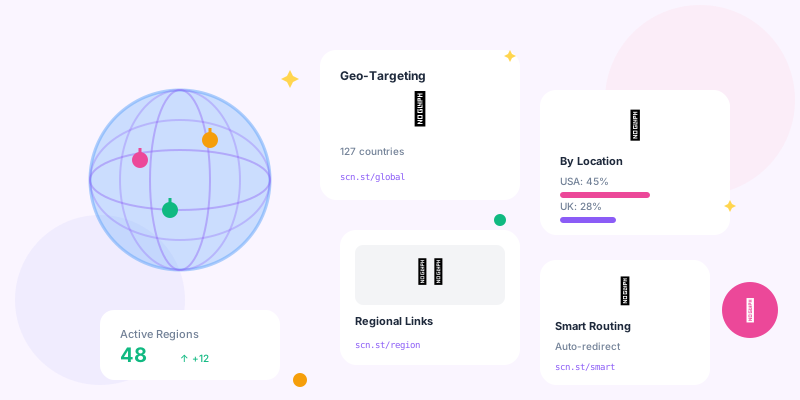
Creating separate links for every country doesn't scale. Sending everyone to a generic landing page wastes opportunity. Geo-targeted smart links automatically route users to the right destination based on their location.
What Is Geo-Targeting?
Geo-targeting uses IP address geolocation to determine a user's location and redirect them accordingly:
- Same short link:
brand.co/sale - US visitors: Redirected to brand.com/us/sale
- UK visitors: Redirected to brand.co.uk/sale
- German visitors: Redirected to brand.de/sale
- Everyone else: Redirected to brand.com/international/sale
- Localization: Show content in user's language automatically
- Pricing: Display correct currency and regional pricing
- Compliance: Route to legally compliant pages per region
- Inventory: Show products actually available in their country
- User Experience: Eliminate confusion about shipping, availability, language
Common Geo-Targeting Use Cases
E-commerce Localization
- Currency: Show prices in local currency (USD, EUR, GBP, JPY)
- Language: Display site in user's preferred language
- Shipping: Show accurate delivery times and costs
- Product Availability: Only show items that ship to their location
- Payment Methods: Display region-appropriate payment options
App Store Redirects
Mobile app marketing becomes simpler:
- iOS users: Apple App Store link
- Android users: Google Play Store link
- By country: Correct app store for their region
- Desktop users: Landing page with app info
Event Registration
Global events with regional sessions:
- North America: Register for 9 AM EST session
- Europe: Register for 3 PM CET session
- Asia-Pacific: Register for 10 AM SGT session
- Single link in marketing, automatic routing to appropriate time zone
Legal Compliance
Different regions require different content:
- GDPR (EU): Enhanced privacy disclosures and consent
- CCPA (California): California-specific privacy options
- Age Restrictions: Some products restricted by country
- Content Restrictions: Comply with local regulations
Technical Implementation
IP Geolocation Methods
- MaxMind GeoIP2: Industry standard, high accuracy (99.8% country level)
- Cloudflare Geolocation: Built-in for Cloudflare users
- ip-api.com: Free tier available, simple REST API
- IPinfo.io: Developer-friendly, good documentation
- AWS CloudFront: Geo-headers included in CloudFront
Accuracy Levels
Geolocation accuracy varies by granularity:
- Country: 99.8% accurate (very reliable)
- State/Region: 95-97% accurate (good for most uses)
- City: 80-90% accurate (use cautiously)
- Postal Code: 60-75% accurate (least reliable)
Fallback Logic
Always have a default destination:
IF location = United States → brand.com/us
ELSE IF location = United Kingdom → brand.co.uk
ELSE IF location = Canada → brand.ca
ELSE IF location in Europe → brand.com/eu
ELSE → brand.com/international (default)
Geo-Targeting Rule Configuration
Single Country Rules
- Rule 1: United States → brand.com/us/product-launch
- Rule 2: Canada → brand.ca/product-launch
- Rule 3: United Kingdom → brand.co.uk/product-launch
- Default: brand.com/coming-soon
Regional Grouping
Group countries into regions:
- North America: US, Canada, Mexico
- Europe: UK, Germany, France, Spain, Italy, etc.
- Asia-Pacific: Japan, Australia, Singapore, South Korea
- Latin America: Brazil, Argentina, Colombia, Chile
Priority-Based Routing
Rules apply in order until match found:
- Priority 1: VIP countries (high-value markets)
- Priority 2: Supported countries (full localization)
- Priority 3: Regional defaults (partial localization)
- Priority 4: Global fallback (English/international)
Language-Based Routing
Beyond Geography: Language Detection
Combine geolocation with browser language settings:
- Location: Switzerland + Language: German → German content
- Location: Switzerland + Language: French → French content
- Location: Switzerland + Language: Italian → Italian content
- Read Accept-Language HTTP header
- Parse preferred language(s)
- Match to available content languages
- Fallback to country default if no match
Multilingual Markets
Handle countries with multiple primary languages:
- Canada: English vs French
- Belgium: Dutch vs French vs German
- Switzerland: German vs French vs Italian
- India: English vs Hindi vs regional languages
Currency and Pricing Localization
- United States: Prices in USD ($)
- Eurozone: Prices in EUR (€)
- United Kingdom: Prices in GBP (£)
- Japan: Prices in JPY (¥)
- Australia: Prices in AUD (A$)
Dynamic Pricing by Region
Price optimization based on location:
- Purchasing power: Adjust prices for local economies
- Competition: Match local market rates
- Shipping costs: Include in displayed price
- Taxes/VAT: Show all-inclusive pricing where required
Device + Geo Combination
Advanced Routing Logic
Combine multiple factors for optimal routing:
- iOS + United States: US App Store
- Android + United States: Google Play (US)
- Desktop + United States: US landing page
- iOS + United Kingdom: UK App Store
- Android + United Kingdom: Google Play (UK)
- Desktop + United Kingdom: UK landing page
Mobile-Specific Routing
- Mobile users: Mobile-optimized experience
- Desktop users: Full website
- Tablet users: Tablet-optimized layout
- Each can further split by geography
Performance and Caching
Edge Network Deployment
Deploy geo-routing at the edge for speed:
- Cloudflare Workers: Execute routing logic at edge (under 20ms)
- AWS CloudFront Lambda@Edge: Run functions at AWS edge locations
- Fastly Edge Compute: Verizon edge network routing
- Akamai Edge Workers: Global edge routing
- Geo-routing executed near user (low latency)
- No round-trip to origin server
- Cached geolocation lookups
- Typical redirect time: 50-150ms total
Caching Strategy
Balance between personalization and performance:
- Don't cache: User-specific routing (always fresh)
- Cache geo-data: IP → location lookups (24 hours)
- Cache rules: Routing logic and configurations
- Edge caching: Final destinations by region
Testing Geo-Targeted Links
VPN Testing
Verify routing from different locations:
- Connect to VPN (US, UK, Germany, etc.)
- Clear browser cache and cookies
- Click short link and verify destination
- Test all priority countries/regions
- Verify fallback works for unconfigured countries
Override Parameters
Add testing parameters to force specific routing:
- Test US routing:
brand.co/sale?geo_test=US - Test UK routing:
brand.co/sale?geo_test=UK - Test default:
brand.co/sale?geo_test=XX
Privacy and Transparency
- IP Logging: Store minimal data, anonymize after routing
- User Choice: Allow manual country selection
- Transparency: Explain why different content is shown
- No Discrimination: Don't artificially inflate prices by location
Manual Override Options
Let users change their region if auto-detected incorrectly:
- Country/region selector on site
- Query parameter override (
?country=UK) - Cookie to remember preference
- Footer link: "View site for different country"
Analytics and Reporting
- Clicks by Country: Which regions drive most traffic
- Conversion by Region: Geographic performance comparison
- Routing Path Tracking: Which rules fire most frequently
- Fallback Rate: How often default destination is used
- Override Usage: How many users manually change country
Common Mistakes to Avoid
- Over-Granular Targeting: City-level routing is too error-prone
- No Fallback: Always have default for unconfigured countries
- Ignoring VPNs: Many users browse via VPN (accept it)
- Language ≠ Country: Don't assume location = language preference
- No Override Option: Let users manually select region
- Slow Redirects: Deploy geo-routing at edge, not origin
Geo-Targeting Checklist
- ✅ Identify key markets requiring localization
- ✅ Set up geo-routing rules (country → destination)
- ✅ Configure fallback destination for unconfigured regions
- ✅ Test from multiple countries (VPN or testing service)
- ✅ Add manual country selector for overrides
- ✅ Implement edge-based routing for speed
- ✅ Track analytics by geographic region
- ✅ Monitor routing accuracy and fallback usage
- ✅ Respect privacy and minimize data retention
- ✅ Document routing logic for team reference
Conclusion
Geo-targeting transforms one link into infinite personalized experiences. Users see content in their language, currency, and context—without you managing hundreds of different links.
Start with country-level routing for your top 3-5 markets. Expand as you grow internationally. And always provide manual override options—sometimes the auto-detection gets it wrong, and frustrated users won't convert.