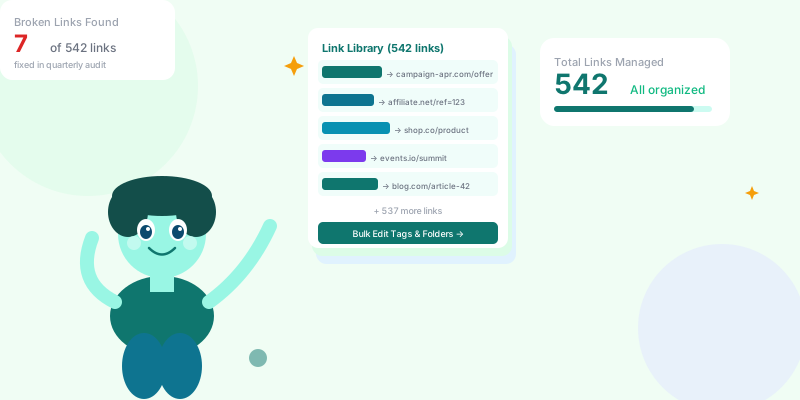
One link is easy to manage. Ten links is manageable. Five hundred links with no system is a disaster — broken redirects nobody notices, duplicate campaigns, abandoned links still getting traffic, and no one who knows what half the links in your account actually do. Here's the system that scales.
The Scale Problem: At 50 links, you can manage things informally. At 200, you start losing track. At 500+, you have a system — or chaos. Marketing teams, agencies, and power users who create links daily inevitably hit the wall: "Does anyone know what scn.st/promo-thing points to?" "Is this link from last year's campaign still active?" "We sent this to 40,000 people and the destination is a 404 and no one noticed for two weeks." None of this is inevitable — it's what happens without a system.
High-volume link management is a process problem as much as a technical one. The tools to organize links exist. What most teams lack is the conventions, workflows, and audit rhythms that keep a large link library functional. This guide covers all three.
23%
of links in a typical 500+ link account are either broken, abandoned, or duplicated — discovered only in a formal audit
The Four Pillars of Link Organization
Pillar 1: Naming Conventions
The Universal Slug Convention:
Inconsistent naming is the root cause of most link management problems at scale. Establish a convention on Day 1 and enforce it across your team.
Recommended slug structure:
[brand/team]-[channel]-[campaign]-[content]
Real examples:
acme-em-spring26-launch       (Acme brand, email, spring 2026 campaign, launch message)
acme-ig-spring26-photo1       (Instagram, same campaign, first photo post)
acme-ig-spring26-reel1        (Instagram, same campaign, first reel)
acme-ph-product-v2            (Product Hunt, product v2 launch)
acme-blog-seo-article-1       (Blog internal link, SEO article series)
Enforce it with onboarding:
Document the convention. Include it in your team onboarding. When someone creates a link with a non-compliant slug, fix it immediately — entropy compounds fast at scale.
What good naming gets you:
→ Any team member can interpret any link at a glance
→ Links sort meaningfully in your dashboard (all "spring26" links group together)
→ Filtering by campaign name returns all relevant links instantly
→ Audits become fast: see "acme-em-2024-" prefixed links → likely stale, check and archive
Pillar 2: Tags and Folders
Organizational Hierarchy:
Folders (coarse, stable):
Folders organize by campaign or product line. Change infrequently.
→ "Q1 2026 Campaigns"
→ "Evergreen Product Links"
→ "Agency Client — Acme Corp"
→ "Internal Operations"
→ "Press and Media"
Tags (granular, flexible):
Tags organize by attribute. One link can have multiple tags.
→ paid-ad — link in an active paid campaign (monitor closely)
→ email-live — link in an email already sent (cannot be deleted)
→ seasonal — link for a time-limited campaign
→ affiliate — affiliate/partner link
→ bio-page — link featured on a bio page
→ qr-printed — link encoded in a printed QR code (NEVER delete)
→ archived — campaign ended, link no longer promoted but still active
Why "qr-printed" is the most important tag:
A QR code printed on physical materials cannot be changed after printing. If someone deletes the short link behind a printed QR code, every future scan hits a dead end. Tag every link encoded in a printed QR — it's effectively permanent infrastructure.
Pillar 3: Team Permissions and Ownership
Link Ownership at Scale:
In teams of 5+, link accountability breaks down without ownership tracking. Every link should have an owner — a person responsible for its destination, expiration, and eventual archiving.
Ownership by role:
→ Campaign links → assigned to the campaign manager
→ Product links → assigned to the product marketing manager
→ Partner/affiliate links → assigned to partnerships team
→ Press kit links → assigned to PR/communications
The "owner" workflow:
1. Creator tags themselves as owner at link creation
2. Owner receives alerts if link breaks or drops significantly in traffic
3. Owner decides when to archive or redirect
4. Quarterly audit: owner reviews all their active links and marks stale ones for archiving
Offboarding workflow:
When a team member leaves, their links need a new owner. Build this into your offboarding checklist — "reassign all links" is as important as "transfer their Slack channels." An ex-employee's links are often still in active campaigns.
Pillar 4: Lifecycle States
Link Lifecycle Management:
Every link is in one of these states. Tagging and organizing by lifecycle state prevents accumulation of zombie links.
Active: Currently promoted, being driven traffic, needs monitoring
Live-but-quiet: In a deployed email or page, gets tail traffic, do not delete
Seasonal/Paused: Campaign on hold, will reactivate — update destination if needed
Archived: Campaign ended, traffic is zero or negligible, destination still valid
Redirect: Original destination gone — redirected to a relevant current page
Link retirement protocol:
- Campaign ends → remove from active promotion → tag as "archived"
- 90-day grace period — check for residual traffic
- If significant residual traffic: redirect to most relevant current page
- If near-zero traffic after 90 days: can safely delete (but never delete printed QRs)
Why "just delete old links" is wrong:
Links sent in emails continue receiving traffic indefinitely. A link from a 2023 email campaign may still get 50 clicks/month from people who saved, forwarded, or bookmarked the email. Deleting it sends those 50 people to a 404 every month. Redirect instead — it costs nothing and preserves the user experience.
The Quarterly Link Audit
Your 4-Hour Quarterly Health Check
Quarterly Audit Agenda:
Step 1: Run the broken link report (30 min)
→ Filter for links with clicks in the past 90 days
→ Check destination status for top 100 by click volume
→ Any 4xx or 5xx responses → immediate redirect to relevant current page
Step 2: Identify zombie links (45 min)
→ Filter for links with zero clicks in past 90 days AND no "printed-qr" or "email-live" tag
→ Review: is this link still being promoted anywhere? If no → archive it
→ Clean dashboard = faster searches and less cognitive load
Step 3: Find duplicates (30 min)
→ Search for similar destination URLs — are there 4 links pointing to the same product page?
→ Consolidate: pick the canonical link, redirect the others to it
→ Update the destination of the surviving link if the page moved
Step 4: Ownership review (45 min)
→ Links with no owner assigned → assign to the relevant team/person
→ Links owned by people who have left the company → reassign
Step 5: Campaign archive sweep (30 min)
→ Links tagged with past campaign names → confirm campaign is over → add "archived" tag
→ Any seasonal links that should be active again → re-activate and update destination if needed
Step 6: Update the master link register (60 min)
→ Document highest-value links (used in active campaigns, printed materials, public profiles)
→ These get monitored more frequently
→ Share the report with your team
Automation for High-Volume Link Management
What to Automate:
Link expiration automation:
Set expiration dates on campaign-specific links at creation time. When the campaign ends, the link automatically stops redirecting (returns a "campaign ended" page or the homepage). No manual cleanup required.
Scheduled redirects:
"Black Friday" links → redirect to main store page automatically on December 1
"Summer sale" links → redirect to general sale page after August 31
Build the redirect transition into the link setup, not as a separate task to remember.
Click anomaly alerts:
Any link with a 60%+ drop in clicks week-over-week (compared to its rolling average) triggers an alert. This catches:
→ Broken destinations
→ Removed traffic sources (an ad paused, a social post deleted)
→ Seasonal traffic pattern changes worth investigating
Bulk operations for campaign management:
When running a multi-channel campaign with 20+ links, use bulk editing to:
→ Add campaign tags to all links simultaneously
→ Update UTM parameters across multiple links at once
→ Archive an entire campaign's link set at once when it ends
Team Workflows That Prevent Link Chaos
Three Process Rules That Prevent 90% of Problems:
Rule 1: Never create a link without a naming convention and owner.
→ Add to your project brief template: "All links for this campaign use the convention [brand]-[channel]-[campaign]"
→ Campaign manager is responsible for all links in their campaign
Rule 2: No link in a printed QR code is ever deleted.
→ Create a "printed-qr" tag
→ Links with this tag are protected from deletion
→ Build this into your team knowledge base and onboarding
Rule 3: Monthly campaign close checklist includes links.
→ When a campaign closes: archive links, confirm redirects are in place for high-traffic links, update tags
→ This takes 15 minutes per campaign and prevents the accumulation of orphaned links
Optional Rule 4: A/B links are documented with their variants.
→ If you split-test landing pages with different short links, document which variant won
→ Archive the losing link with a note in the description
→ Preserve this institutional knowledge — future A/B tests benefit from knowing what already worked
High-Volume Link Management Checklist
- ✅ Slug naming convention documented and enforced across team
- ✅ Folder structure created (by campaign, product line, or client)
- ✅ Tags in use: "paid-ad," "email-live," "qr-printed," "archived"
- ✅ Every link has an owner assigned
- ✅ Expiration dates set on all time-limited campaign links
- ✅ Quarterly audit scheduled and assigned to a team member
- ✅ Broken link monitoring active on top-100 links by click volume
- ✅ Click anomaly alerts configured
- ✅ Offboarding checklist includes "reassign links"
- ✅ No printed QR code links ever deleted — tagged and protected
Conclusion
Link management debt accumulates silently. A team that creates 10 links per week but only audits annually ends up with 500 links, a third of which are broken, abandoned, or nobody can explain. The cost of this debt isn't just messy dashboards — it's broken user experiences, incorrect analytics, and campaign investments that can't be measured.
The system described here takes about half a day to set up and 4 hours per quarter to maintain. For a team that lives in their link dashboard, it pays back in hours saved searching for links, debugging broken redirects, and cleaning up historical campaigns. Start with the naming convention. The rest follows naturally.