How to Shorten a URL (3 Methods, 2 Minutes)
Learn how to create a short URL in seconds — with custom slugs, no signup required, and analytics to track every click.
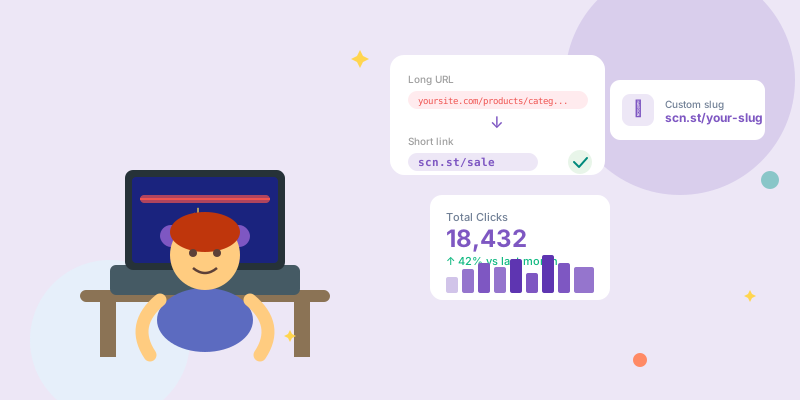
Shortening a URL takes less than 30 seconds. Whether you need a quick link for a social post, a branded short URL for a campaign, or an API-driven solution for your product, here's exactly how to do it.
Method 1: Shorten a URL instantly (no signup)
The fastest way to shorten a URL on scn.st requires no account.
- Go to scn.st
- Paste your long URL into the input box on the homepage
- Click Shorten
- Copy your new short link — something like
scn.st/abc123
That's it. Your short link is live immediately and will redirect anywhere in the world in under 50 milliseconds.
Method 2: Create a custom short link (free account)
A custom slug makes your links memorable and trustworthy — scn.st/summer-sale performs better than scn.st/a4b8k2.
- Sign up for a free scn.st account (no credit card needed)
- From your dashboard, click New Link
- Paste your destination URL
- In the Custom Slug field, type your preferred back-half (e.g.
summer-sale) - Click Create
Your link is now live at scn.st/summer-sale and you can see click analytics, edit the destination URL, or generate a QR code — all from the dashboard.
Method 3: Shorten URLs via API
If you're building an app or automating link creation, use the scn.st REST API.
curl -X POST https://scn.st/api/links -H "Authorization: Bearer YOUR_API_KEY" -H "Content-Type: application/json" -d '{"url": "https://example.com/very/long/url", "slug": "my-slug"}'The response returns the full short URL, click tracking endpoint, and QR code URL. See the API docs at scn.st/_docs/scalar for all parameters.
How to make short URLs more effective
Use readable slugs
A slug like scn.st/black-friday-shoes tells the recipient what to expect. Readable links get more clicks and look safer in social feeds.
Add UTM parameters before shortening
Append UTM tags to your destination URL before you shorten it:
https://example.com/page?utm_source=instagram&utm_medium=social&utm_campaign=springYour short link then carries all tracking data through to Google Analytics automatically.
Use a QR code for offline campaigns
Every short link on scn.st has a free QR code. From the link dashboard, click the QR icon to download a PNG. Useful for print, packaging, and events.
Common questions
Can I shorten the same URL twice?
Yes — you can create multiple short links pointing to the same destination. This is useful when you want separate tracking for different channels (e.g. one for Instagram, one for email).
How long do short links last?
Short links on scn.st don't expire by default. On paid plans, you can set an expiry date so links automatically deactivate after a campaign ends.
Summary
| Method | Time | Account needed? | Custom slug? |
|---|---|---|---|
| Homepage paste | 10 seconds | No | No |
| Dashboard (free) | 30 seconds | Yes (free) | Yes |
| API | Varies | Yes (free) | Yes |
For one-off links, the homepage is fastest. For campaigns you want to track and reuse, a free account gives you full control.
If you're switching from another shortener, see how scn.st compares on the Bitly alternative page, or check the pricing page to see what's included on the free and Pro plans.