Link Security: How to Prevent Phishing and Malicious Links
Shortened links enable phishing attacks that damage user trust. Learn how to implement security measures that protect your users and your brand reputation.
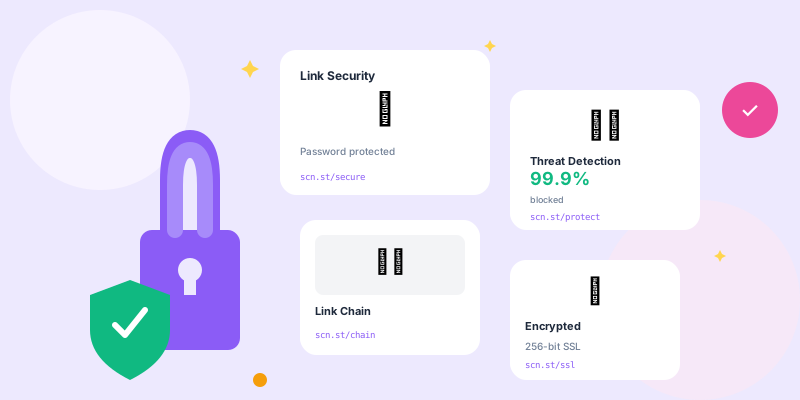
Shortened links are powerful marketing tools—and potential security nightmares. When users can't see where a link goes, bad actors exploit that opacity. Here's how to secure your links properly.
Why Link Security Matters
- Phishing Attacks: Links appearing legitimate but leading to credential theft pages
- Malware Distribution: Drive-by downloads and infected files
- Brand Impersonation: Attackers using similar domains to trick users
- Reputation Damage: Your domain gets blacklisted if abused
- Legal Liability: Potential legal consequences if your platform enables abuse
Real-World Attack Scenarios
- Credential Harvesting: Link to fake login page stealing passwords
- Financial Fraud: Fake payment pages capturing credit cards
- Social Engineering: Links to "urgent" pages creating panic
- Malware Delivery: Automatic downloads of infected files
- Redirect Chains: Multiple hops to evade detection
Link Scanning and Threat Detection
Real-Time Destination Scanning
Scan destinations before allowing link creation:
- Google Safe Browsing API: Check against Google's threat database
- VirusTotal API: Multi-engine malware scanning
- URLhaus: Known malware distribution URLs
- PhishTank: Community-verified phishing database
- Spamhaus: Domain and IP reputation checking
- Free API for URL checking
- Database of 10+ million unsafe websites
- Real-time threat updates
- Covers phishing, malware, unwanted software
- 50,000 free requests per day
Continuous Monitoring
Destinations change after link creation—monitor continuously:
- Periodic Rescanning: Check existing links daily/weekly
- Destination Change Detection: Alert when target URL changes
- Certificate Monitoring: Track SSL certificate changes
- Content Analysis: Detect suspicious page modifications
Blocked Domain Lists
- Known Bad Domains: Block confirmed malicious sites
- New Domain Restrictions: Limit links to domains registered <7 days ago
- Disposable Email Domains: Block temporary email provider domains
- URL Shorteners: Prevent nested shortening (shortener pointing to shortener)
- IP Address Links: Block raw IP addresses as destinations
Maintaining Block Lists
- Subscribe to threat intelligence feeds
- Monitor abuse reports from users
- Integrate with email security providers
- Share blocklists with security community
- Regular list updates (at least weekly)
Link Preview Security
Implementing Safe Link Previews
Let users see destinations before clicking:
- Interstitial Pages: Show destination with "Continue" button
- Hover Previews: Display target URL on mouseover
- Security Indicators: Show SSL status, domain age, safety checks
- Risk Warnings: Alert users about newly registered or flagged domains
Optional Click-Through Warnings
For suspicious-but-not-blocked links:
⚠️ Warning: This link leads to a recently registered domain.

Destination: suspicious-new-site.com
Registered: 3 days ago

[ Go Back ] [ Continue Anyway ]yourbrand.co/link+ shows preview instead of redirecting directly.
Rate Limiting and Abuse Prevention
Link Creation Rate Limits
- Per User: 50-100 links per hour for free users
- Per IP: 200 links per hour from single IP
- Per Domain: Limit links to same destination (prevent spam)
- New Accounts: Stricter limits for accounts <24 hours old
Suspicious Behavior Detection
Flag and investigate unusual patterns:
- Bulk Link Creation: Hundreds of links in minutes
- Random Slugs: Links with gibberish slugs (automation indicator)
- Similar Destinations: Many links to domains with similar patterns
- Short-Lived Links: Create then delete repeatedly
- Geographic Anomalies: IP changes across countries rapidly
User Authentication and Verification
- Email Verification: Required before creating links
- Two-Factor Authentication: Optional but encouraged
- Account Age Restrictions: Limit features for new accounts
- Payment Verification: Paid users are less likely to abuse
- Business Domain Verification: Verify corporate email addresses
Preventing Account Takeovers
- Password strength requirements (12+ characters)
- Breach password checking (HaveIBeenPwned API)
- Login attempt rate limiting
- Unusual activity alerts (new device, location)
- Session management and timeout
HTTPS Enforcement
- Platform HTTPS: All short links must use HTTPS (never HTTP)
- Destination HTTPS: Warn or block non-HTTPS destinations
- HSTS Headers: Enforce HTTPS at browser level
- Certificate Validation: Check destination SSL certificates
Mixed Content Prevention
Avoid security warnings:
- Ensure all redirect infrastructure uses HTTPS
- Validate destination certificates aren't expired
- Check for self-signed certificates (red flag)
- Warn users about HTTP destinations
Abuse Reporting System
- Easy Reporting: One-click report button on preview pages
- Rapid Response: Investigate reports within 1 hour
- Immediate Suspension: Disable link pending investigation
- User Notification: Alert link creator of suspension
- Account Action: Suspend repeat abusers permanently
Report Categories
- Phishing attempt
- Malware distribution
- Spam or unwanted content
- Copyright violation
- Illegal content
- Brand impersonation
Domain Reputation Management
Monitoring Your Domain Reputation
Track your domain's security standing:
- Google Safe Browsing: Check if your domain is flagged
- VirusTotal: See which engines flag your domain
- Spamhaus: Domain and IP reputation scores
- URLVoid: Aggregate reputation across services
- MXToolbox: Email and domain blacklist monitoring
- Identify and remove malicious links immediately
- Submit reconsideration request to blacklist provider
- Document security improvements made
- Provide evidence of abuse removal
- Typical recovery time: 1-7 days
Preventing Blacklisting
- Proactive link scanning (don't wait for reports)
- Quick abuse response (under 1 hour ideal)
- User verification before link creation
- Regular security audits
- Maintain abuse contact information
API Security for Link Management
- API Key Rotation: Force rotation every 90 days
- IP Whitelisting: Restrict API access to known IPs
- Rate Limiting: Prevent API abuse through throttling
- Request Signing: Cryptographic verification of requests
- Scope Restrictions: Limit API key permissions
Legal and Compliance Considerations
- Terms of Service: Explicitly prohibit malicious use
- DMCA Agent: Designated copyright agent for takedowns
- Abuse Contact: Public email for security reports (abuse@yourdomain.com)
- Law Enforcement Cooperation: Documented processes for requests
- User Agreement: Hold users liable for misuse
Security Incident Response Plan
When a Malicious Link Is Discovered
- Immediate Suspension: Disable link within minutes
- User Notification: Alert anyone who created or clicked the link
- Destination Analysis: Document the threat for blocklists
- Account Review: Check if user account created other malicious links
- Report to Authorities: Share intel with security community
- Post-Mortem: Analyze how it bypassed security
User Education
- Hover over links to see destinations
- Use preview features before clicking
- Verify sender identity before trusting links
- Check for HTTPS on sensitive pages
- Report suspicious links immediately
Security Checklist for Link Platforms
- ✅ Implement real-time URL scanning (Google Safe Browsing + VirusTotal)
- ✅ Continuous monitoring of existing links (daily rescans)
- ✅ Domain blocklists (malicious sites, new domains, IP addresses)
- ✅ Rate limiting (prevent bulk abuse)
- ✅ User authentication and verification
- ✅ HTTPS enforcement (platform and destinations)
- ✅ Abuse reporting system (respond within 1 hour)
- ✅ Link preview options (let users see before clicking)
- ✅ Domain reputation monitoring
- ✅ Security incident response plan
- ✅ Regular security audits
- ✅ Legal compliance (TOS, DMCA, abuse contact)
Conclusion
Link security isn't paranoia—it's essential infrastructure. One compromised link can blacklist your entire domain, destroying deliverability and trust. Implement comprehensive security measures before problems occur, not after.
Security is an ongoing process, not a one-time setup. Threats evolve, attackers adapt, and your defenses must stay current. Scan links continuously, respond to abuse rapidly, and prioritize user safety above convenience.