Link Management

Password-Protected Links: Share Private Content, VIP Access, and Exclusive Offers Securely

Not every link is meant for everyone. Whether you're gating a client proposal, running a VIP-only sale, or sharing early access with your best customers — password-protected links give you control over who sees what, with full click analytics on everyone who unlocks them.
Product Team, Link Management
April 8, 2026
11 min read
Password-Protected Links: Share Private Content, VIP Access, and Exclusive Offers Securely
The Open Link Problem: You send a link. It gets forwarded. Then shared in a Slack channel. Then posted on Reddit. Your "exclusive" early-access offer is now indexed by Google and getting traffic from people who were never supposed to see it. Your "confidential" client proposal is sitting in three inboxes you didn't intend. Password-protected links are the simplest solution — and most link managers either don't offer them or hide them in a settings menu nobody finds. Here's how to use them properly.

Most links are public by design — they're meant to spread. But a meaningful slice of the links you create every week shouldn't be. Confidential documents. Client-only pricing. Early-access product pages. Beta invites. VIP event details. Contest winner links. These deserve access control, not just obscurity through a long random slug that anyone who gets it can share.

67%
of "confidential" links shared via email get forwarded to at least one unintended recipient within 30 days

What Password-Protected Links Actually Are

More Than Just a Gate — It's an Analytics Layer

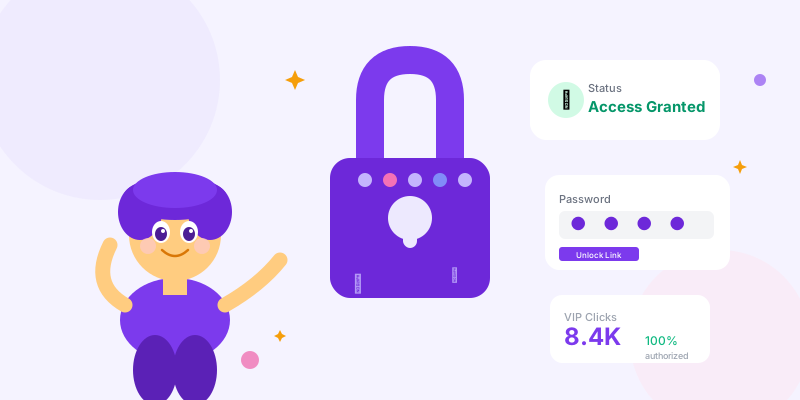
A password-protected short link works exactly like a regular short link, with one critical difference: before the redirect fires, the visitor must enter a correct password. Get it right → redirect happens. Get it wrong → stay on the lock screen.

What You Get With Password-Protected Links: Access Control: → Only people who know the password can reach the destination URL → The destination URL itself remains hidden — visitors only see your short link slug → Wrong-password attempts are logged (you know when people try) → Correct unlocks are tracked with the same analytics as regular links (geography, device, time) Forwarding Safety: → Someone shares your link without sharing the password? Useless to the recipient. → The link appears in search results? The password page is what crawlers see — destination stays private. → Shared in a group chat? Every person who clicks still needs the password. Time-Limited Control: → Combine with link expiration: access window closes automatically after the date you set → Change the password to instantly revoke access without breaking the link URL → Share the password separately from the link — revoke access by not sharing the password, not by deleting the link

The 8 Best Use Cases for Password-Protected Links

Use Case 1: Client-Only Proposals and Pricing

The Scenario: You're a freelancer or agency. You want to share a proposal PDF, custom pricing page, or project deck with a specific client — without it being indexable, forwardable, or accidentally visible to other clients. Setup:
  • Create a password-protected short link to your proposal (hosted on Google Drive, Notion, or your own site)
  • Slug: scn.st/proposal-[client-name]
  • Password: their company name or a simple phrase you share verbally on the call
  • Set expiration for 14 days after sending
Why it beats email attachments:
  • You can update the destination doc without resending — fix a typo after sending? Update the Google Doc. Same link, same password, updated content.
  • You see exactly when they opened it and how many times — "Did you get a chance to review?" has a factual answer in your analytics.
  • When the proposal expires or you win the work, the link goes dead automatically.

Use Case 2: VIP and Early Access Sales

The Scenario: You're launching a product, running a flash sale, or giving your best customers first dibs before the public launch. Why password protection beats "secret URLs": A random slug (scn.st/x9k2m) looks exclusive, but once one person shares it, it's public. A password-protected link lets you send a clean branded URL (scn.st/spring-vip) to your VIP list — the link looks intentional, but only VIP members who received the password can use it. Setup options by scale:
  • Small VIP list (under 500): Single password shared in your email. Track clicks to verify engagement before public launch.
  • Tiered access: Different passwords per segment — founding members get "FOUNDER26," loyalty members get "LOYAL26." Same link, different access levels.
  • Time-gated: Password-protected link opens at 9am on launch day. VIPs have the link and password in advance, but can't use it until you're ready.
Analytics value: You know exactly how many VIPs actually clicked vs. how many ignored the offer. That's segmentation data you can use for the public launch.
2.4x
higher conversion rate on VIP early-access offers compared to public launch — when the access genuinely feels exclusive

Use Case 3: Internal Team Resources

The Scenario: Onboarding docs, internal wikis, employee handbooks, meeting recordings — you share these via a short link in Slack or email, but don't want them publicly accessible. The lightweight approach: Password-protecting internal links isn't about serious security (use proper auth for that). It's about preventing accidental public exposure when someone copies a link into the wrong Slack channel, includes it in a public tweet, or shares their screen during a webinar. Practical setup: scn.st/team-onboarding → password: your team's internal wiki password or a monthly rotating word Single password for all team members → one revoke updates everyone's access What this prevents: → Confidential meeting recordings showing up on Google → Draft documents getting indexed before they're finalized → Internal pricing/strategy docs visible to competitors who happen to see a URL

Use Case 4: Contest and Giveaway Winner Links

You ran a giveaway and need to send 50 winners to a redemption page without that page being discoverable by non-winners. One protected link. One password shared only in winner DMs. Anyone else who finds the link can't access the prize without the password.

Use Case 5: Beta Product Access

Beta links are notoriously leaky. One Reddit post from an enthusiastic beta tester and you've got thousands of unexpected users hitting your not-ready-for-production system. Password-protected beta links let you share access broadly with trusted testers while keeping the link unclickable for anyone who doesn't have the password.

Use Case 6: Media Embargoed Content

The Press Embargo Use Case: You're launching a product in 3 weeks. You want to brief journalists now so they can write their reviews. But you don't want content published before your launch date. Standard approach: Send the press kit link under embargo. Trust journalists not to publish. Password-protected approach: → Send the link now, without the password → Send the password on launch morning → Journalists literally cannot access the content early — the embargo is technical, not just a request This is cleaner than NDA enforcement and faster than coordinating individual file access permissions.

Use Case 7: Paid Content Without a Paywall System

You sell a course, template pack, or digital product through a simple checkout. Your delivery mechanism is email, not a full membership platform. Password-protect the delivery link. Buyers get the password in their purchase confirmation email. Non-buyers who share the link can't access it. Simple delivery without building an authentication system.

Use Case 8: Sensitive Health or Legal Documents

Patient intake forms, legal discovery documents, insurance claim pages, HR sensitive communications — these need access control without requiring the recipient to create an account. A password shared via a separate secure channel (phone call, text, postal mail) adds a meaningful layer of protection that a plain URL cannot provide.

Setting Up Password-Protected Links on scn.st

Step-by-Step Setup: Creating a new protected link:
  1. Go to Create Link in your scn.st dashboard
  2. Enter your destination URL and choose a slug
  3. Expand the "Optional" section
  4. Enter your password in the "Password Protection" field (minimum 6 characters)
  5. Optionally set an expiration date to time-limit access
  6. Save — the link is immediately protected
What happens when someone clicks: → They see a clean lock screen at your short link URL (not the destination) → They enter the password — correct answer redirects them to destination → Wrong password: error message, try again → The destination URL is never exposed in the browser or page source Changing or removing password: → Edit the link in your dashboard at any time → Change the password to instantly lock out everyone with the old one → Remove the password entirely to make the link public — existing shares still work, now without a gate

Password Best Practices

Choosing the Right Password for the Context

Password Strategy by Use Case: Client proposals: → Use their company name (easy to remember, personalized, you don't need to re-explain it) → Example: "acmecorp" or "acme2026" → Avoid: random strings that clients forget before they open the email VIP sales and early access: → Use a word that reinforces the exclusive feeling → Examples: "EARLYBIRD", "VIP2026", "FOUNDERMAY" → This becomes part of the brand experience, not just a technical gate Internal team links: → Monthly rotating word published in your internal Slack → Simple enough that team members remember it, rotated often enough to stay current → Example: monthly word of the month in #general Time-sensitive content: → Include a hint in the password itself: "LAUNCHAPR8" → Helps recipients contextualize when the content was relevant → Naturally becomes outdated-looking after the date passes Paid content delivery: → Order ID or purchase confirmation number → Unique per purchase, memorable from their receipt → Example: "ORDER-28491" — they have it in their email, it's specific to their purchase
Pro Tip: Never put the password and the link in the same medium. If you share the link via email, share the password via SMS. If you share the link in Slack, share the password in email. This two-channel approach means that anyone who intercepts one channel still can't access the content — the same security principle as two-factor authentication.

Analytics on Password-Protected Links

What You Can Track (It's More Than You Think)

Protected Link Analytics: Unlock events: Every successful password entry is a tracked click. You get geography, device type, referrer, and timestamp for every person who unlocked and accessed the content. This is often your most valuable engagement data — these are people motivated enough to go through an extra step. Failed attempts: Know when people tried and failed. A spike in failed attempts could mean the password was shared without context, or that your email didn't reach the intended recipient clearly enough. Time-to-unlock patterns: If people are unlocking 10 minutes after receiving your email, your email is being read. If unlocks happen 3 days later, people are sitting on your proposal before engaging. Geographic verification: You sent a VIP offer to subscribers in the US. If unlocks are coming from unexpected geographies, the password was shared outside your intended audience. Useful intelligence before a public launch. Conversion correlation: Track which recipients unlocked the link AND converted. Which proposal recipients viewed it AND signed? Which VIP offer openers AND purchased? This closes the loop between link analytics and business outcomes.

Security Considerations and Limitations

What Password-Protected Links Are (and Aren't): They ARE:
  • A meaningful friction layer that prevents casual unauthorized access
  • Protection against link forwarding and accidental exposure
  • A way to gate content without building authentication infrastructure
  • Useful for low-to-medium sensitivity content in business contexts
They are NOT:
  • Encryption — the destination URL can potentially be found via other means once unlocked
  • Enterprise-grade security for HIPAA, GDPR-regulated health data, financial data, or classified information
  • Proof of identity — anyone who knows the password can access the link, not just the intended recipient
  • A replacement for proper document management systems in regulated industries
Right-size your security: For most business use cases — client proposals, VIP offers, internal docs, beta access — password-protected links are more than sufficient. For genuinely sensitive regulated data, use systems built specifically for that compliance requirement.

Password-Protected Link Checklist

  1. ✅ Password shared via a different channel than the link itself
  2. ✅ Password is memorable for the recipient (not a random string they'll lose)
  3. ✅ Expiration date set for time-sensitive content
  4. ✅ Analytics reviewed after sending — verify recipients are actually unlocking
  5. ✅ Destination URL can be updated without changing the link or password
  6. ✅ For VIP campaigns: different passwords per segment for segmented analytics
  7. ✅ For paid content: password tied to purchase confirmation so buyers have it automatically
  8. ✅ For embargoed content: password withheld until release time, link shared in advance
  9. ✅ Password changed immediately after use for one-time access scenarios
  10. ✅ Appropriate sensitivity level assessed — protected links for business content, not regulated data

Conclusion

Most links you create are meant to spread as widely as possible. But some links are valuable precisely because they don't. Client proposals that feel personalized. VIP offers that feel genuinely exclusive. Beta access that stays contained to real testers. Internal documents that stay internal.

Password-protected links are the lightest-weight tool for controlled sharing — no login walls, no permission systems, no account creation for recipients. Just a password shared through a channel you trust, and full analytics on everyone who uses it. The content stays private. The access stays accountable.
Tags

Password ProtectionContent GatingLink SecurityPrivate SharingVIP AccessLink Management

Related Articles