Product Launch Link Strategy: The 90-Day Playbook from Pre-Launch Teaser to Post-Launch Growth
Most product launches are over-invested in the launch day and under-invested in the 60 days before and 30 days after. The links you create before, during, and after launch — and whether you can see the data from all of them — determine whether your launch momentum compounds or evaporates.
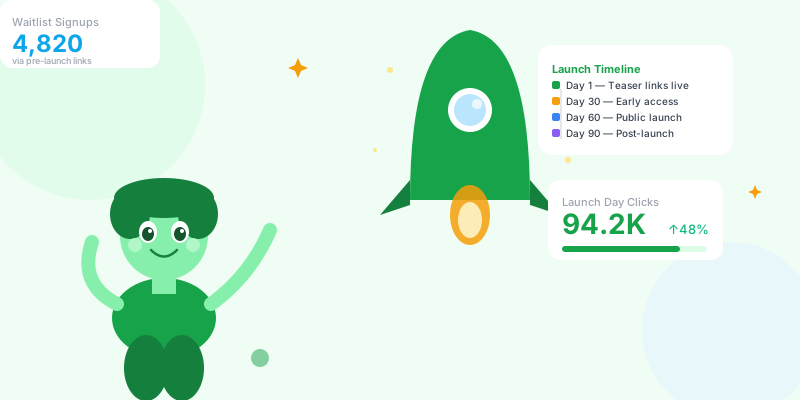
A product launch is the highest-signal moment in your marketing calendar — and it generates data you can learn from for years. The teams that extract that learning use a systematic link structure from Day 1. The teams that don't end up with a launch retrospective that says "it went well" but can't explain why.
Phase 1 (Days 1–30): The Teaser and Waitlist Phase
Building Your Pre-Launch Link Infrastructure
scn.st/waitlist-twitter    → waitlist + utm_source=twitter&utm_medium=social
scn.st/waitlist-ig         → waitlist + utm_source=instagram&utm_medium=bio
scn.st/waitlist-email      → waitlist + utm_source=email&utm_medium=newsletter
scn.st/waitlist-linkedin   → waitlist + utm_source=linkedin&utm_medium=post
scn.st/waitlist-reddit     → waitlist + utm_source=reddit&utm_medium=community
scn.st/waitlist-yt         → waitlist + utm_source=youtube&utm_medium=description
scn.st/waitlist-pod → waitlist + utm_source=podcast&utm_medium=mentionThe Teaser Content Link System
utm_campaign=prelaunch-teaser
utm_content=feature-hint-1      (first feature teaser)
utm_content=problem-post-1      (pain point content)
utm_content=behind-scenes-1 (build in public update)Phase 2 (Days 31–60): The Early Access Phase
Building Momentum Before Public Launch
scn.st/early-access-founders — password: "FOUNDER2026" — for your first 100 users
→ scn.st/early-access-waitlist — password: "EARLYBIRD" — for waitlist members in batches
→ scn.st/early-access-press — for journalists with embargo (password sent separately)
Benefits:
→ Real usage data before public launch without uncontrolled traffic
→ Testimonials and case studies captured in a controlled group
→ Bug reports from motivated early users, not random traffic
Referral/Invite Link:
Give early access users an invite link: scn.st/invite-[userid]
→ Track which early users are most evangelistic (most shared invite links)
→ These are your product champions — reach out personally before launch
→ Referral conversion rate tells you whether your product is "share-worthy" at this stage
Press Kit Link:
A single short link for all press materials: scn.st/[product]-press
→ Track which journalists clicked (and when)
→ Update the destination as the press kit evolves — journalists who bookmark the link always get the latest version
→ Embargo version: password-protect until launch day, then remove the password
Phase 3 (Days 61–70): Launch Week Preparation
scn.st/[product]              → main product page (evergreen)
scn.st/[product]-ph           → Product Hunt listing (launch day only)
scn.st/[product]-hn           → Hacker News "Show HN" post
scn.st/[product]-launch-email → launch day email CTA
scn.st/[product]-launch-tw    → launch day Twitter/X announcement
scn.st/[product]-launch-li → LinkedIn launch postPhase 4 (Days 71–75): Launch Day Execution
Phase 5 (Days 76–90): Post-Launch Optimization
Product Launch Link Checklist
- ✅ Waitlist links created per-channel with unique UTM sources before any announcement
- ✅ Teaser content links tagged with utm_content per piece of content
- ✅ Early access links password-protected and tiered by access level
- ✅ Press kit link is a short link (updateable) with embargo password
- ✅ Launch day link family created 7 days before launch
- ✅ Expiring launch-offer links with countdown urgency
- ✅ Link health monitoring active on all launch day links
- ✅ Real-time analytics dashboard open on launch day
- ✅ 30-day post-launch attribution report planned
- ✅ Launch link data archived for future launch reference
Conclusion
The best product launches feel like momentum — but momentum is manufactured from data. Every teaser post that drove a waitlist signup told you something about your audience. Every launch-day click source told you which channel deserved more investment. Every post-launch referral told you who your product champions are. None of this is visible without a systematic link structure built before the first announcement goes out.
Build your link infrastructure on Day 1, not Day 60. The data you collect in the 30 days before launch is often more valuable than the launch day itself — because it shapes the messaging, timing, and channel strategy that determines whether launch day succeeds.