Your Links Are Talking... Are You Listening?
Every link click is a goldmine of data. Learn how to use link tracking analytics to make better marketing decisions and measure ROI.

Your links are talking. Every click reveals valuable information about who your audience is, what they want, and how they behave. They're telling you which campaigns work, which channels drive quality traffic, which messages resonate, and which audience segments convert. The question is: are you listening?
Most marketers track clicks and call it a day. They see "5,000 clicks" and feel good. But clicks are just the beginning. The real insights—the ones that drive revenue and optimize ROI—live deeper in the data. Let's break down how to actually USE link analytics instead of just collecting random numbers.
Understanding Your Analytics Dashboard: A Complete Tour
Before we dive into advanced strategies, let's make sure you understand every metric your link analytics platform is showing you. Each number tells a story—you just need to know how to read it.
- Total Clicks: The overall number of times your link was clicked (includes repeat clicks from the same user)
- Unique Clicks: The number of distinct individuals who clicked (cookies/device-based tracking)
- Click-Through Rate (CTR): Clicks divided by impressions (how many people saw vs clicked)
- Engagement Rate: Unique clicks divided by reach (quality metric, not just volume)
- Referrer Source: Where the click came from (Facebook, email, direct, etc.)
- Geographic Location: Country, region, or city where clicks originated
- Device Type: Mobile, desktop, or tablet
- Operating System: iOS, Android, Windows, macOS, etc.
- Browser: Chrome, Safari, Firefox, etc.
- Time/Date: When clicks occurred (crucial for timing optimization)
These are your foundation metrics. But here's where most people stop. The real magic happens when you start combining these metrics to uncover insights.
The Metrics That Actually Drive Business Decisions
Clicks are nice. Revenue is better. Let's talk about the metrics that actually correlate with business outcomes.
1. Click-Through Rate (CTR): The Efficiency Metric
CTR tells you how compelling your message is. If 10,000 people see your link but only 50 click, your CTR is 0.5%—that's a message problem, not a distribution problem.
- Email marketing: 2-5% is average, 8%+ is excellent
- Social media organic: 1-3% is typical, 5%+ is outstanding
- Social media paid ads: 0.5-1.5% is normal, 2%+ is strong
- SMS marketing: 10-20% is average, 25%+ is excellent
- Push notifications: 3-7% is typical, 10%+ is exceptional
But here's the key: don't just track CTR. Track CTR over time to spot trends. A declining CTR means your audience is becoming fatigued or less engaged. An improving CTR means your messaging is getting sharper.
2. Unique vs Total Clicks: Understanding Engagement Depth
This ratio tells you if you have shallow or deep engagement. Here's how to interpret it:
- 1:1 ratio (Total = Unique): Everyone clicked once and never came back. Good for one-time offers, concerning for content.
- 2:1 ratio: Healthy repeat engagement. People are clicking multiple times over days/weeks.
- 5:1+ ratio: Either amazing content that people keep sharing, or a tracking error, or bot traffic.
A SaaS company might see 1:1 for a free trial signup link (people only need to sign up once) but 3:1 for a webinar replay link (people watch, share, rewatch). Both are healthy—just different engagement patterns.
3. Conversion Rate: The Only Metric Your CFO Cares About
This is where link analytics meets revenue. You can't measure conversion rate from link clicks alone—you need to integrate with your analytics platform or CRM. But once you do, magic happens.
Track conversion rate by:
- Channel: Which sources (email, social, paid) convert best?
- Campaign: Which specific messages drive conversions?
- Audience Segment: Which demographics convert at higher rates?
- Device Type: Mobile vs desktop conversion rates (often dramatically different)
- Time Period: When do conversions happen relative to click? (time-to-convert metric)
4. Geographic Data: Location Insights That Drive Strategy
Geographic data isn't just interesting trivia—it's actionable intelligence.
- Timezone Optimization: Post when your actual audience is awake (not when you are)
- Content Localization: If 60% of clicks come from one region, create region-specific content
- Expansion Planning: Unexpected traffic from a country? Test marketing there
- Fraud Detection: Sudden spike from unusual locations? Could be bot traffic
- Shipping Strategy: E-commerce brands can align inventory with where demand actually is
Real example: A B2B software company noticed 40% of their link clicks came from Brazil, even though they had zero Portuguese content and weren't targeting that market. They created a simple Portuguese landing page and added a Brazil-focused sales rep. Result: $2.3M in new annual revenue from a market they didn't even know existed.
5. Device and Browser Data: Platform Optimization
Your content looks different on mobile vs desktop. Acts different too. Device data shows you where optimization is needed.
- Mobile users: Higher click rates, lower conversion rates, shorter session times
- Desktop users: Lower click rates, higher conversion rates, longer sessions
- Tablet users: Somewhere in between, often browsing in evening hours
If you're getting 80% mobile clicks but only 20% mobile conversions, you have a mobile optimization problem. Your landing page probably loads slowly, has tiny buttons, or requires too much typing on a small keyboard.
6. Referrer Source Analysis: Attribution That Actually Works
Referrer data tells you which channels are actually driving traffic. But here's the trap: not all traffic is equal.
You might see:
- Facebook: 10,000 clicks, 1% conversion rate = 100 conversions
- Email: 2,000 clicks, 8% conversion rate = 160 conversions
Which channel is better? Most marketers would say Facebook because "more clicks." Wrong. Email drove 60% more conversions with 80% less traffic. That's a quality difference.
Advanced Analytics: Cohort Analysis and Segmentation
Now we're getting into sophisticated territory. This is where good marketers become great marketers.
Cohort Analysis: Tracking User Behavior Over Time
A cohort is a group of users who took an action during the same time period. Instead of looking at all clicks as one blob, you segment by when they happened.
Example cohort analysis:
- 1,000 people clicked your link
- Day 1: 50 conversions (5%)
- Day 7: 120 conversions (12%)
- Day 30: 180 conversions (18%)
- 1,200 people clicked
- Day 1: 72 conversions (6%)
- Day 7: 156 conversions (13%)
- Day 30: 240 conversions (20%)
What does this tell you? Week 2's messaging was better. Same traffic volume, but higher conversion at every time interval. Now you can analyze what was different: different headline? Different call to action? Different landing page? That's your insight.
Segmentation: Finding Your High-Value Audiences
Not all clicks are created equal. Segmentation helps you find the patterns in who converts and who doesn't.
Segment your link clicks by:
- New vs Returning Users: Are new users clicking but not converting? Awareness problem. Are returning users ignoring your links? Offer fatigue.
- Purchase History: First-time buyers vs repeat customers behave differently
- Email Engagement Level: Active openers vs dormant subscribers
- Traffic Source: Organic social vs paid ads vs email vs direct
- Device/OS: iOS users might convert differently than Android users
- Geographic Region: Urban vs rural, different countries, different states
Time-Based Analytics: When Timing Is Everything
When you share matters as much as what you share. Time-based analytics reveal your audience's behavior patterns.
Day-of-Week Performance
Run this analysis: export your last 90 days of link clicks and group by day of week. You'll probably discover patterns like:
- B2B audiences: Peak engagement Tuesday-Thursday, 10am-2pm in their timezone
- B2C audiences: Peak engagement evenings and weekends
- E-commerce: Browsing on weekdays, purchasing on weekends
- Content consumption: Weekday mornings during commutes (mobile), weekend afternoons (desktop)
A media company analyzed their link sharing patterns and discovered their best content—shared at 9am Monday—got 40% fewer clicks than the same quality content shared at 7pm Wednesday. Just by shifting posting times based on their link analytics, they increased overall engagement by 28%.
Time-to-Convert Analytics
This is criminally underused. How long does it take someone to convert after clicking your link?
- Impulse purchases: 80% convert within 24 hours
- Considered purchases: 30% within 24 hours, 60% within 7 days, 10% after 7+ days
- B2B sales: 5% within 7 days, 30% within 30 days, 65% within 90+ days
- Content downloads: 90% within 1 hour (or never)
Why does this matter? Because it tells you how long to run retargeting campaigns, when to send follow-up emails, and how to attribute revenue correctly.
If your average time-to-convert is 7 days, but you're only running retargeting ads for 48 hours, you're leaving money on the table.
Attribution Modeling: Giving Credit Where It's Due
Most clicks don't convert immediately. Someone might click your Instagram link, browse, leave, then click your email link a week later and purchase. Which link gets credit?
Attribution Models Explained
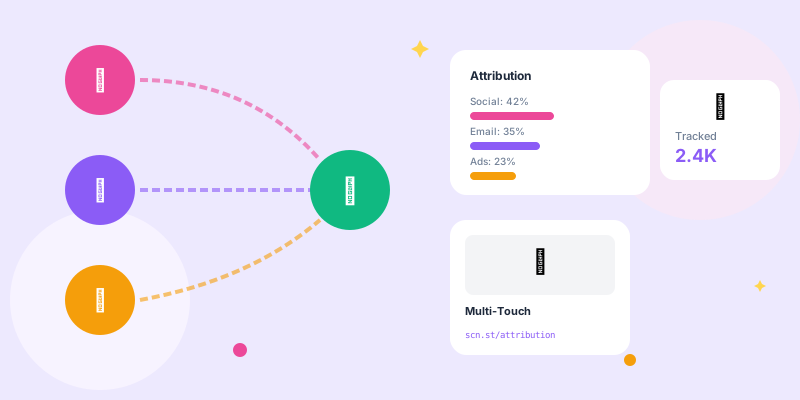
- Last Click: All credit to the final link before conversion (undervalues awareness)
- First Click: All credit to the initial link (undervalues nurturing)
- Linear: Equal credit to all touchpoints (simple but inaccurate)
- Time Decay: More credit to recent clicks (balances awareness and conversion)
- Position-Based: 40% to first click, 40% to last click, 20% distributed to middle (often most accurate)
There's no "correct" model—choose based on your business reality. Short sales cycles (e-commerce, SaaS trials) work well with last-click. Long sales cycles (enterprise B2B, high-ticket items) need multi-touch attribution.
Integration Strategies: Connecting Link Analytics to Your Stack
Link analytics in isolation is interesting. Link analytics integrated with your entire marketing stack is transformational.
Essential Integrations
- Google Analytics: See the full user journey after the click
- CRM (Salesforce, HubSpot): Track which links generate qualified leads and revenue
- Email Platform (Mailchimp, Klaviyo): See which links in which emails drive action
- Ad Platforms (Facebook, Google Ads): Optimize campaigns based on actual conversion data
- E-commerce Platform (Shopify, WooCommerce): Attribute revenue to specific links
- Customer Data Platform: Build unified profiles showing link interaction history
With proper integration, you can answer questions like:
- "Which Instagram post drove the most revenue?" (not just clicks)
- "What's the lifetime value of customers acquired through email links vs social media links?"
- "Which link campaign generated the most repeat purchasers?"
Data Visualization: Making Analytics Actionable
Raw data is overwhelming. Visualization makes it actionable. Here's how to present link analytics in ways that drive decisions.
- Total revenue attributed to links this week vs last week
- Top 5 performing campaigns by conversion value
- Cost per acquisition trend (decreasing = good)
- Channel mix showing where conversions actually come from
- Today's clicks by channel with CTR comparison to average
- Campaign performance ranked by engagement rate
- Geographic heatmap showing where traffic is coming from
- Device breakdown with conversion rates
- Click pattern over time (when did engagement peak?)
- Top referrers (who shared this link?)
- Audience demographics (who engaged with this content?)
- Comparison to similar content (is this performing above or below average?)
Common Analytics Mistakes and How to Avoid Them
Even sophisticated marketers make these errors. Don't be one of them.
Mistake 1: Vanity Metrics Over Business Metrics
Celebrating 10,000 clicks when you only got 50 conversions is like celebrating 10,000 people walking past your store while only 50 came in. Focus on conversion rate, not just volume.
Mistake 2: Ignoring Statistical Significance
You ran an A/B test. Version A got 52% CTR, Version B got 48% CTR. You declare A the winner and roll it out. But if your sample size was only 100 clicks, that 4% difference could easily be random chance.
Mistake 3: Attribution Window Too Short
Judging a campaign's success after 24 hours when your average time-to-convert is 7 days. You're making decisions with incomplete data.
Set your attribution window based on your actual customer behavior, not arbitrary timelines.
Mistake 4: Not Tracking Link Decay
Links don't maintain consistent performance forever. A link shared on Monday might get 80% of its clicks in the first 48 hours, then decay. Understanding your content's half-life helps you plan posting frequency and retargeting timing.
Mistake 5: Same Analytics for All Channels
Different channels require different metrics. Email campaigns should be measured by conversion rate (you control who sees it). Social media should be measured by engagement rate and share rate (algorithms control reach). Paid ads should be measured by cost per acquisition (you're paying for every impression).
Building a Data-Driven Link Strategy
Now let's put it all together into a systematic approach to using link analytics.
The Monthly Analytics Review Process
- Total clicks across all channels
- Click-through rates by channel
- Conversions and conversion rates
- Revenue attributed to link traffic
- Month-over-month growth or decline
- Performance vs goals (did we hit targets?)
- Best and worst performing campaigns
- Channel performance ranking
- What patterns emerged in top performers?
- What changed in poor performers?
- Did external factors influence results (seasonality, news events, platform changes)?
- What audience segments over/under performed?
- Double down on what worked (more budget, more frequency)
- Fix or kill what didn't work
- Test new hypotheses based on insights
- Adjust targeting, messaging, or timing
The Testing Framework
Good analytics inform good testing. Here's a systematic testing approach:
- Hypothesis: "Instagram links shared at 7pm will have higher CTR than 9am links"
- Test Design: Share identical content at both times for 2 weeks, track CTR
- Success Metric: 20%+ improvement in CTR with 95% statistical confidence
- Implementation: If successful, shift all Instagram posting to 7pm window
- Iteration: Test 6pm vs 7pm vs 8pm to find the optimal time
Run multiple tests simultaneously across different variables: messaging, visuals, timing, targeting, landing pages. Your link analytics will tell you what wins.
Real-World Case Studies: Analytics in Action
Case Study 1: E-Commerce Brand Optimizes Email Timing
A fashion retailer analyzed 6 months of email link clicks and discovered their highest conversion rates occurred between 8-10pm on Sundays, despite their emails going out at 10am on Mondays. They shifted their send schedule based purely on link analytics data.
Result: 34% increase in email revenue, same content, same audience, just better timing based on when people actually clicked and converted.
Case Study 2: SaaS Company Discovers Hidden Market
A project management software company noticed unusual link traffic from the education sector, even though they'd never marketed to schools. They analyzed the geographic and referrer data, discovered a teacher had shared their link in an education forum.
They created an education-specific landing page, adjusted pricing for schools, and launched a small targeted campaign. Result: entire new market segment representing 18% of revenue within a year.
Case Study 3: Content Publisher Kills Low-Performing Channels
A media company was spending 30% of their budget on Facebook ads based on "high engagement." Link analytics revealed that while Facebook drove 40% of clicks, it only drove 8% of subscriptions. Meanwhile, LinkedIn drove 15% of clicks but 35% of subscriptions.
They reallocated budget from Facebook to LinkedIn based on conversion data, not click data. Result: 56% reduction in customer acquisition cost while maintaining subscriber growth.
The Future of Link Analytics: What's Coming
Link analytics is evolving rapidly. Here's what's on the horizon:
- AI-Powered Insights: Platforms that automatically detect anomalies and suggest optimizations
- Predictive Analytics: Forecasting campaign performance based on early link data
- Cross-Device Journey Mapping: Following users from mobile click to desktop conversion seamlessly
- Privacy-First Tracking: Cookieless analytics that respect user privacy while providing insights
- Voice and IoT Integration: Tracking link access from smart speakers and connected devices
- Real-Time Optimization: Automatic campaign adjustments based on live performance data
Conclusion: From Data to Decisions
Your links are telling you exactly what your audience wants—where they are, what devices they use, which messages resonate, when they're most receptive, and what drives them to convert. The question was never whether the data exists. It always has.
The question is whether you're using it.
Most marketers drown in data but starve for insights. They see numbers but miss patterns. They track everything but understand nothing. Don't be most marketers.
Start simple: pick one metric that matters to your business (probably conversion rate or revenue). Track it religiously. Segment it by channel, by campaign, by audience. Find patterns. Test hypotheses. Double down on what works. Kill what doesn't.
Then layer in additional metrics: time-to-convert, geographic patterns, device preferences, engagement depth. Each layer adds nuance to your understanding and precision to your optimization.
Your links are talking. They're telling you which campaigns to double down on, which audiences to target, which channels to invest in, and which strategies to abandon. The insights are there, waiting to be discovered.
Time to start listening. Time to make data-driven decisions. Time to let your link analytics become your competitive advantage.