YouTube Link Strategy: Track Which Videos Drive Real Business Results
Your YouTube channel has 50,000 subscribers. Your videos get thousands of views. But do you know which videos actually drive email signups, product sales, or client inquiries? Without tracked links in every description, you're flying blind on your best-performing content.
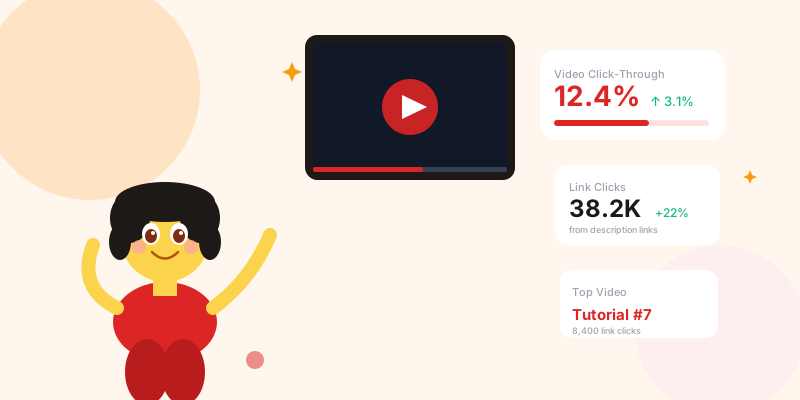
YouTube creators obsess over view counts, watch time, and subscriber growth. These metrics matter for the algorithm — but none of them tell you which content is actually building your business. The link data in your descriptions is the missing layer: it connects your content performance to real business outcomes like signups, purchases, and leads.
The YouTube Link Infrastructure Stack
Every Description Needs These Three Link Types
scn.st/your-course?utm_source=youtube&utm_medium=description&utm_campaign=video-slug
→ Branded: scn.st/your-course-yt — simpler, still tracked
→ Changes per campaign: update the destination without reprinting anything
Link Type 2 — Affiliate/Tool Links:
Every tool, product, or service you mention in the video gets its own short link.
→ scn.st/yourname-toolname — same link in every video where you mention that tool
→ Reveals which tool references in which video type drive actual affiliate clicks
→ Wraps ugly affiliate URLs in something speakable and clickable
Link Type 3 — Lead Capture Links:
Newsletter signups, free downloads, quiz funnels, webinar registrations.
→ Unique per video: scn.st/freebie-[videoslug] — reveals which content attracts your most engaged subscribers
→ Track sign-up source months later when that subscriber buys something
UTM Strategy for YouTube
The Consistent Tagging System
utm_source=youtube        (always)
utm_medium=description    (description link)
utm_medium=pinned-comment (pinned comment link)
utm_medium=end-screen     (end screen button — when trackable)
utm_medium=community      (YouTube community post)

utm_campaign=[video-topic-or-series]
Examples:
  utm_campaign=tutorial-series
  utm_campaign=product-review
  utm_campaign=q-and-a

utm_content=[video-specific-id]
Examples:
  utm_content=ep47-photoshop-tips
  utm_content=nov-gear-review
utm_content=beginner-guide-2026The 5-Link Description Template
🎯 Get [Primary Offer]: scn.st/your-offer-yt
This is what most viewers see without clicking "Show More." Make it count.
Line 3-5 (still above fold or just below):
📧 Join [X]K creators: scn.st/newsletter-yt
📥 Free [Resource]: scn.st/freeresource-yt
Affiliate section (in expanded description):
🔧 Tools I Use & Recommend:
→ [Tool 1]: scn.st/yourname-tool1
→ [Tool 2]: scn.st/yourname-tool2
→ [Tool 3]: scn.st/yourname-tool3
Social links (bottom of description):
📸 Instagram: scn.st/yourname-ig
🐦 Twitter: scn.st/yourname-tw
Why short links beat raw URLs here:
→ Visually clean — no tracking parameters cluttering the description
→ Speakable — you can say "go to scn.st/your-offer" on camera
→ Updateable — product page changes? Update the short link, not every video description
→ Tracked — you know which video drove which click
Pinned Comments: The Underused Link Placement
utm_medium=pinned-comment
→ Update the pinned comment per campaign — point it to whatever you're currently promoting
→ Include a question to drive engagement: "What was your biggest takeaway? Also — [resource] is free this week: scn.st/resource"
Measurement:
Compare utm_medium=description vs utm_medium=pinned-comment click rates on the same video. For most niches, pinned comments convert 15-40% better than descriptions for the same link. This is the single highest-ROI description optimization most creators haven't made.
Identifying Your Highest-Converting Videos
The Content-Revenue Attribution Report
- Which video type (tutorial, review, Q&A, vlog) has the highest link CTR?
- Which video length correlates with the highest description engagement?
- Do videos with the link mentioned verbally on camera get more description clicks?
- Which day of the week upload gets the most description link activity in the first 48 hours?
Channel Page and Community Post Links
scn.st/yourname-channel-links → your link-in-bio page
Now you know how many profile visitors click through to your links, and which link they clicked.
YouTube Community Posts:
Community posts reach your subscriber base directly (like a social media post). Every community post with a link should use a tracked short link:
→ Use utm_medium=community
→ Use utm_content=[post-topic]
→ Community post links often outperform email for audiences who engage with YouTube but ignore email
Community posts are a second distribution channel that most creators underuse. Tracked links reveal whether your community post audience overlaps with your video audience or is a distinct segment — critical for understanding where your highest-intent subscribers actually live.
Speaking Your Links on Camera
- No hyphens if avoidable: "scn.st/myguide" beats "scn.st/my-free-guide"
- No numbers that sound ambiguous: avoid "scn.st/top10" (is it ten or 1-0?)
- Match the slug to what you say: if you say "my free checklist," the slug should be /freechecklist
- Use vanity redirects for recurring offers: same slug, destination updates per campaign
YouTube Link Tracking Checklist
- ✅ Every video description has at least one tracked short link above the fold
- ✅ All links use consistent UTM structure: source=youtube, medium=[placement], campaign=[topic], content=[video-id]
- ✅ Affiliate tool links are branded short links (not raw affiliate URLs)
- ✅ Pinned comment deployed on every video within 30 minutes of upload
- ✅ Channel About tab links replaced with tracked short links
- ✅ Links mentioned verbally on camera use speakable slugs
- ✅ Monthly content-conversion report: which video type drives the most link clicks?
- ✅ Evergreen product links use updateable short links (so destination can change without reprinting)
- ✅ Community posts use tracked short links with utm_medium=community
Conclusion
YouTube success and YouTube business success are not the same thing. A channel that drives consistent product sales with 10,000 subscribers is more valuable than one with 100,000 subscribers that generates no revenue. The difference is usually link strategy: knowing which content converts, optimizing for those formats, and capturing every click from every placement.
Start with one change: add a tracked short link above the fold in your next five video descriptions. After 30 days, look at which video drove the most clicks. That video tells you more about your audience than any other metric your dashboard shows.